Quickstart: your first governed answer
The shortest path from zero to a governed answer you can defend. Five minutes, no code. You will run one governed check in the portal and read the record it produced.
A governed check is Paresium Clara reading a message, checking that answering is safe, writing a reviewed answer, and saving a permanent record of what it did and why. Every step is on the record.
1. Get access
Paresium Clara is in a private beta, so you cannot self sign up. We create your account and email you an invitation (or hand you ready-made sign-in details). See Getting access. Then sign in at clara.paresium.com.
Billing is in test mode during beta, so nothing you run here costs real money.
2. Run one governed check
In the portal, open Governed run, type a real question your team gets, and press Run. You will see the steps light up as Paresium Clara works: it reads the message, checks policy and risk, writes an answer, and has an independent panel review it.
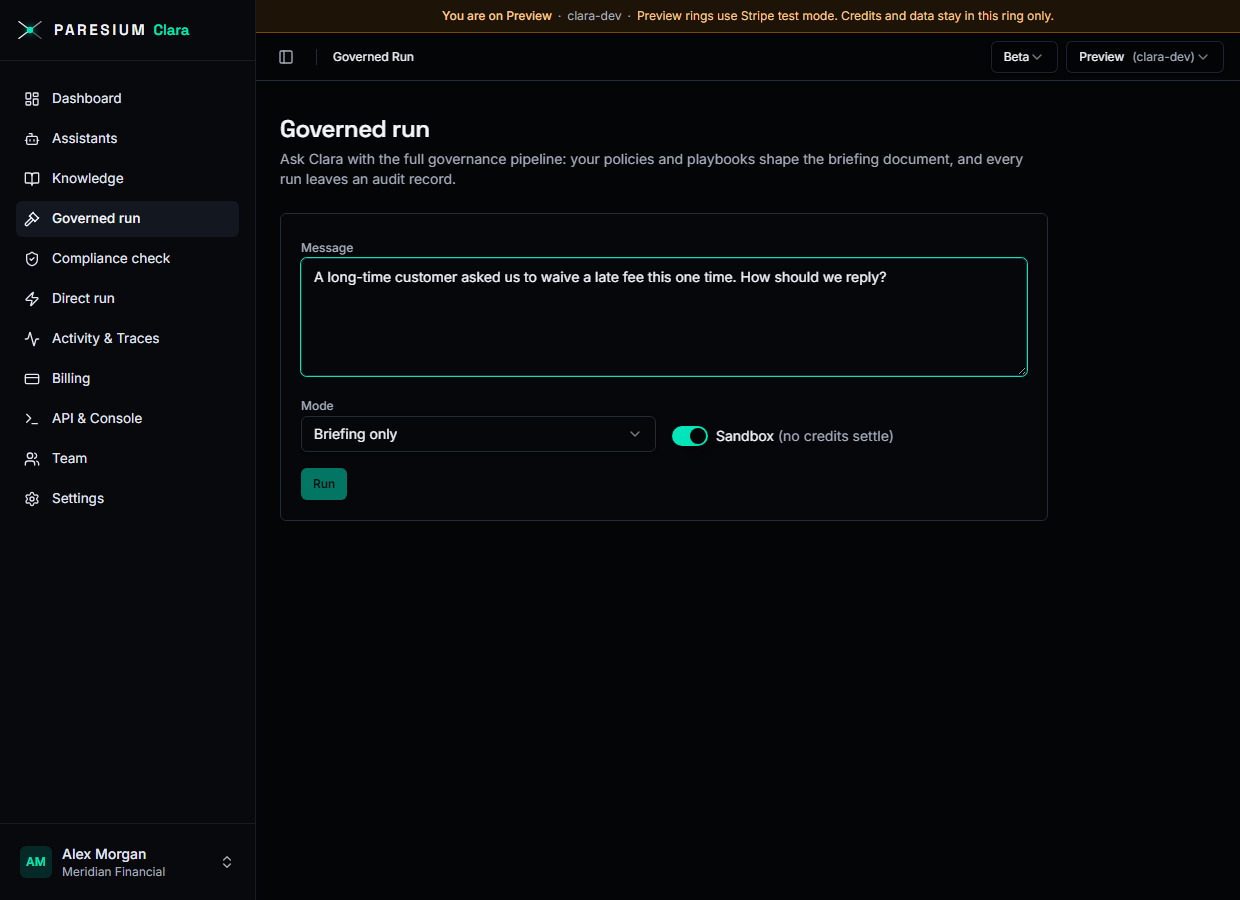
When it finishes you get a decision (answer, ask, escalate, or block), the reasoning behind it, and a link to the full record.
3. Read the record
Every run leaves a permanent record you can show an auditor or an unhappy customer. Open Activity and traces and click the run you just made. The record shows what came in, which checks ran, what went out, and which model version produced the answer. Nobody can edit it afterwards, not even us.
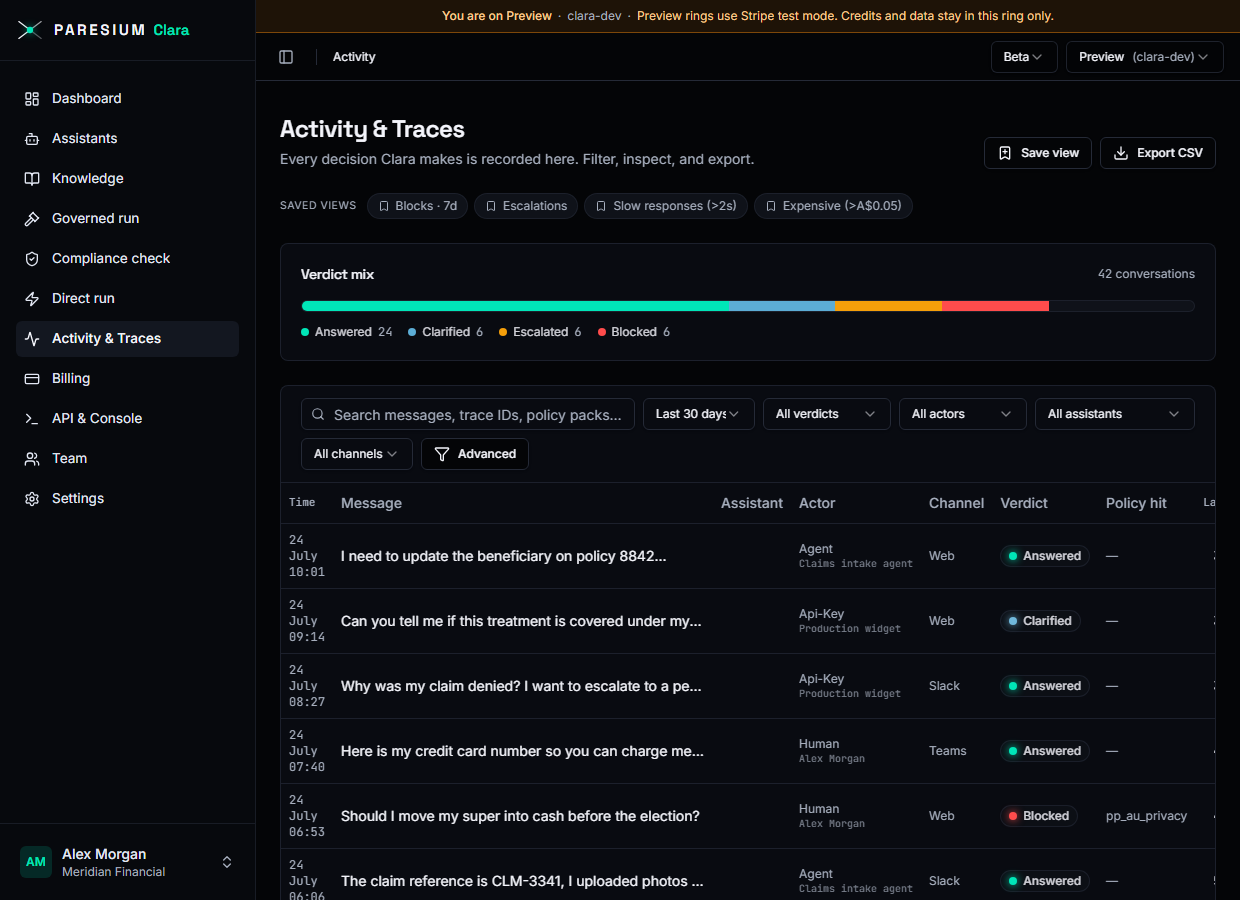
That is the whole idea: a good answer, plus the proof.
Where to go next
- Core concepts: the handful of ideas behind that run, explained plainly.
- Running checks and governed runs: do the same thing from your own software.
- The bench (visual terminal): try every offering by hand from your terminal.